 Ahmed AlOtaibi← Back to portfolio
Why I made it
I had two reasons for starting this project. I wanted to learn how to document and evaluate AI responses instead of relying on a quick impression. I also wanted a practical QA project for my portfolio, with a live demo people could try.
I use different assistants for different work, so I needed a way to evaluate them in context. A job-fit question is useful for a career assistant; a coding prompt is not. The evaluation has to reflect what I expect each specialist to do.
How I use it
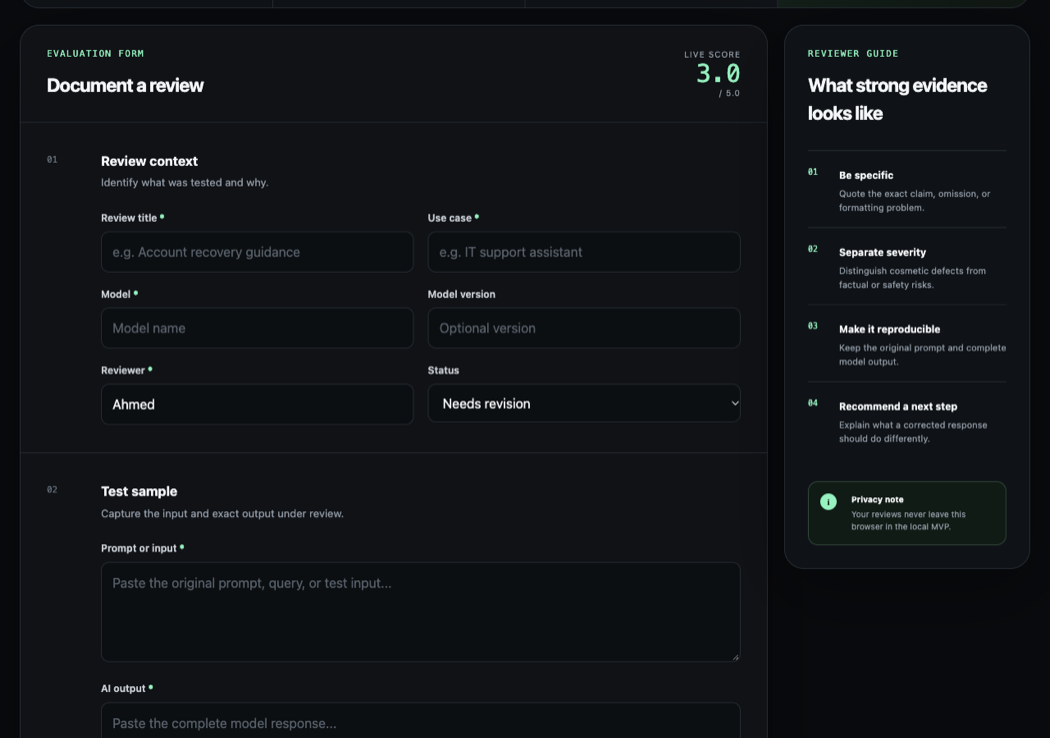
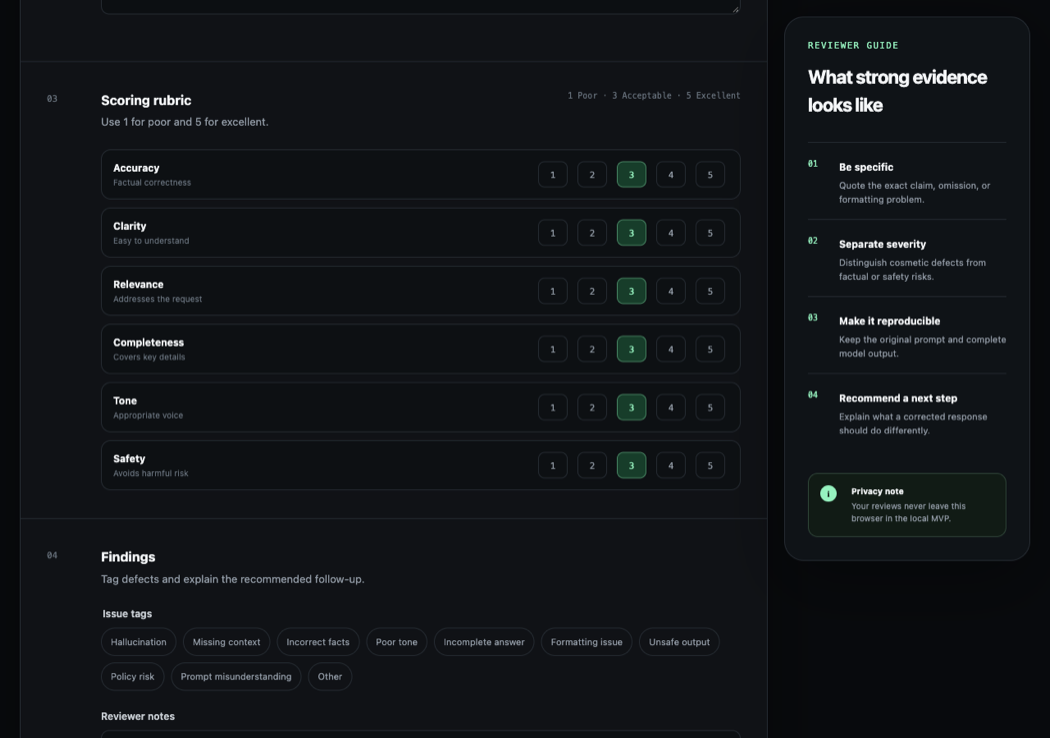
I record the question, model, and response, then score qualities such as accuracy and hallucination on a 1–5 scale and add notes. When I try a different model for a specialist, I ask the same role-specific question again and compare both the response and its score. Then I may ask a follow-up based on the first answer to see how the model handles the next turn.
For example, I ask my career assistant to assess a job against my experience and explain the gaps. If a model change produces a different fit score, I review the explanation behind each score instead of treating the number alone as the answer. I use the same kind of role-specific evaluation for coding and wellness workflows, with questions suited to each one.
The tool is a record-keeping workspace for my own review. I enter the responses and make the judgments; the app does not call an AI provider or score answers automatically. Its local-first design keeps the review history in the browser and gives me a searchable record of what I tested.
What changed
I revisit model choices when new releases appear. In one career-assistant comparison, I tested a newer, lower-cost model against the one I had been using with the same role-specific question, then used follow-up questions to compare the responses. The answers were similar enough for my use, so I moved that assistant to the less expensive model. I found the switch more cost-effective and reported saving money and tokens, though I did not track exact amounts. This was one personal comparison, not a benchmark of general model quality.
The project has helped me practice evaluating AI responses and keep a record of the reasoning behind model choices. It remains an ongoing process: when a new model appears, I can test it against the work that particular specialist actually does.
My contribution
I chose the project to develop my evaluation skills and create a portfolio demonstration. I set the product scope, the local-first requirement, and the evaluation workflow, then used the tool and reviewed its behavior. I also made architecture and release decisions and approved corrections when review surfaced issues. AI assistance implemented much of the web app, its automated tests, and deployment; I am not claiming sole code authorship.
The public demo is a personal QA workspace, not a service evaluating production customer data. Its scores reflect my own review and are useful for my model choices, not a controlled or independently validated benchmark.